Transform Your Business with Our Advanced Accounting System
Empower your financial management with cloud-based solutions that offer real-time analytics, automated invoicing, and full compliance with Malaysia’s tax regulations.
At Mega Cloud, we offer innovative accounting systems designed to help businesses stay ahead. Our solutions are powered by AutoCount, providing real-time financial reporting, multi-currency support, and full compliance with Malaysia’s LHDN e-Invoicing requirements. Whether you’re running a small business or a growing enterprise, our cloud-based solutions give you the tools to manage your finances anytime, anywhere.
AutoCount Software Distributor
Trusted by thousands of businesses across Malaysia.
Cloud-Based & Reliable
Access anytime, anywhere with proven reliability.
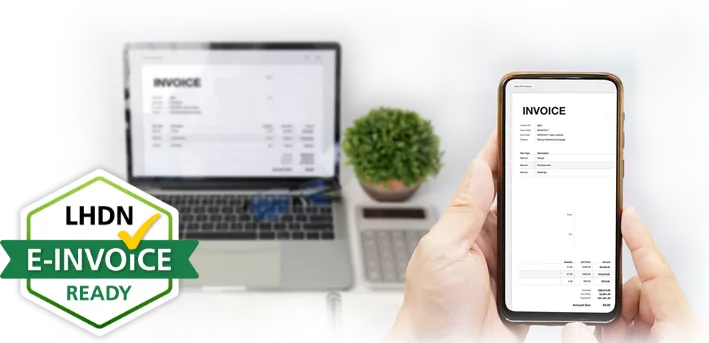
LHDN e-Invoice Ready
Fully compliant with Malaysia's mandatory e-Invoicing system.
Top 6 Features
Why Choose AutoCount Accounting 2.0?
Discover why AutoCount Accounting is one of Malaysia’s fastest-growing accounting solutions.
Create unlimited document templates for your most-used forms and automate all recurring transactions for future periods. With just a few simple actions, you can streamline daily operations, eliminate repetitive tasks, and significantly improve efficiency.
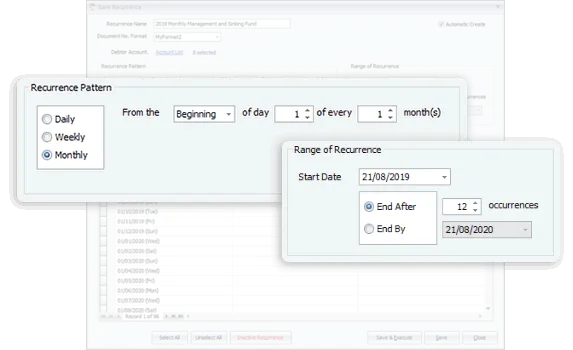
Schedule Your Recurring Entries
Recurring transactions no longer need to be handled manually. Pre-schedule future entries and choose whether they should post automatically or appear as reminder prompts. Reduce repetitive tasks and save valuable time every month.
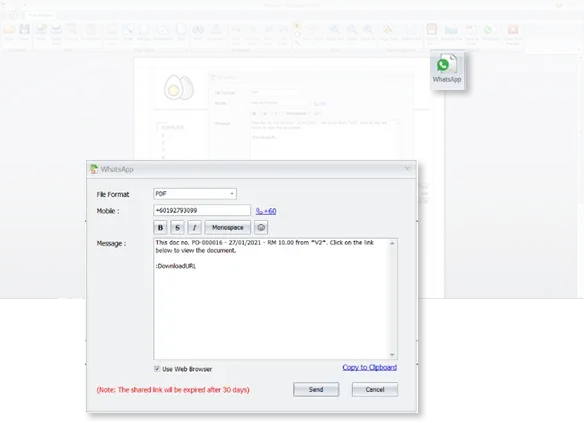
Send Documents & Locations via WhatsApp
Sharing information is now effortless. Store the recipient’s WhatsApp number, type your message, and send. They’ll instantly receive your message along with a download link for reports, documents, or locations.
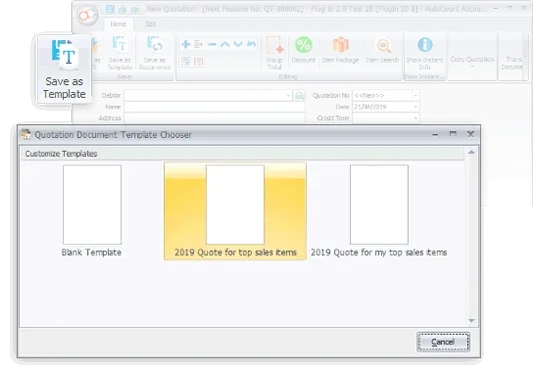
Use Document Templates for Faster Billing
Create templates for commonly used documents like Quotation, Invoice, Sales Order, Cash Sale, Credit Note, or Request Quotation. Enjoy dramatically faster billing and eliminate repetitive data entry across your workflow.
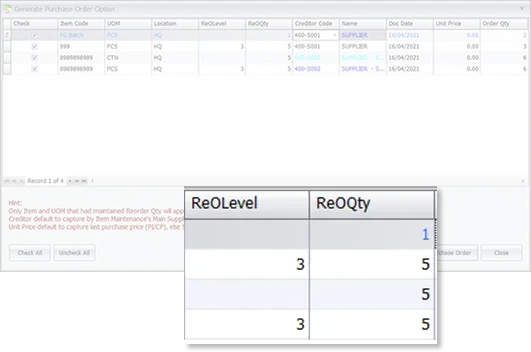
Generate Purchase Orders from Reorder Advice
Speed up stock replenishment by reviewing the Reorder Advice and generating Purchase Orders instantly. Decide on items and quantities in seconds—boosting your reorder efficiency by up to 80%.
Smarter Intelligent Costing
Let the system handle inventory costing with precision. This intelligent costing engine eliminates common stock valuation issues faced by many industries—reducing errors and ensuring more accurate financial reporting.
Compared to version 1.9, version 2.0 comes with a host of powerful enhancements and new features. Here are the top 5 most requested improvements
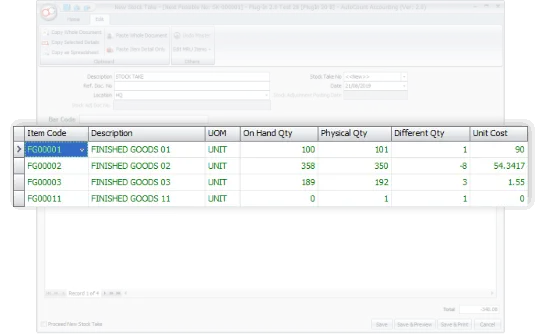
Auto-Generate Stock Adjustments
After completing a stock take, the system automatically identifies discrepancies between the physical and recorded quantities. You simply need to review and decide whether to auto-generate stock adjustment entries based on these differences.
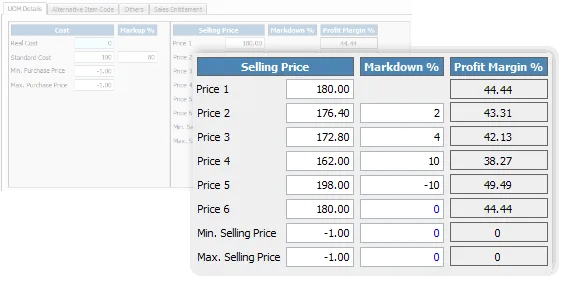
6 Levels of Selling Price with Auto-Adjustment
Now you can set up to 6 different selling price levels for each stock item, customized for various customer categories. The system will automatically adjust the selling price according to changes in cost price, based on predefined margin and markdown percentages.
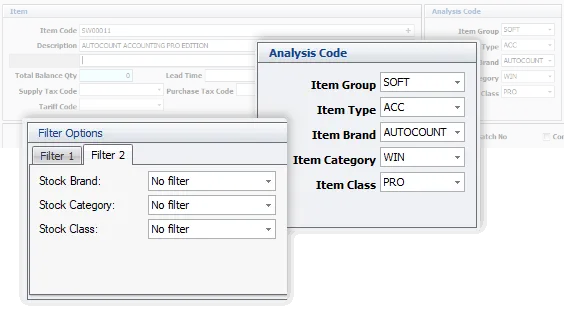
Improved Stock Filtering & Analysis
To offer more flexibility in filtering and analyzing stock data, inventory items can now be categorized and differentiated by Item Group, Item Type, Item Brand, Item Category, and Item Class. This improves reporting accuracy and clarity.
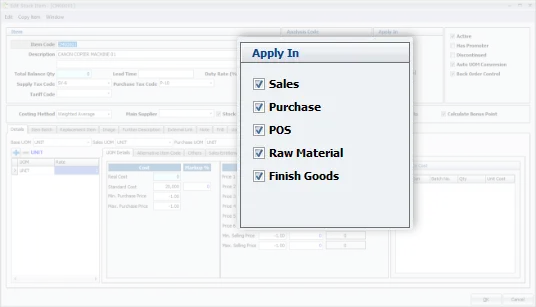
Stock Item Applicability
Some items may not be for sale or are used exclusively in specific processes (e.g., raw materials for production). By defining the applicability of these stock items, you can avoid irrelevant items from appearing during processes like Sales, Purchases, POS, and inventory management.
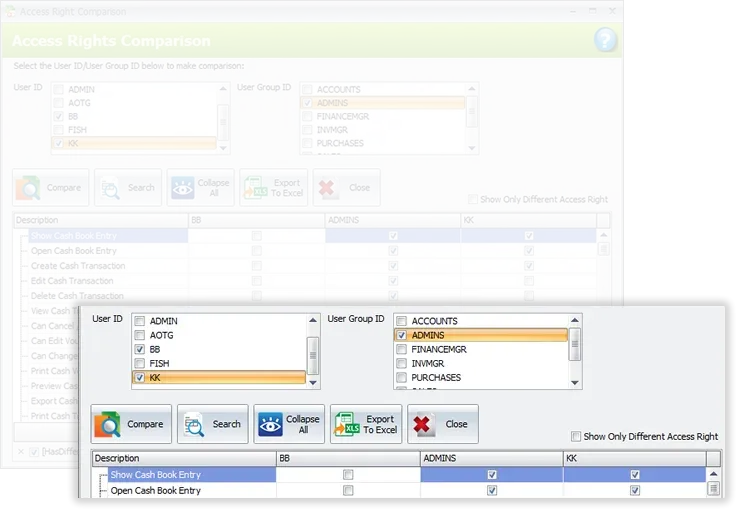
Enhanced User Access Rights Management
The Access Rights Maintenance feature has been improved for better user experience. You can now easily compare access rights for any user versus their group, export access rights data to Excel, and copy user access settings to new users.
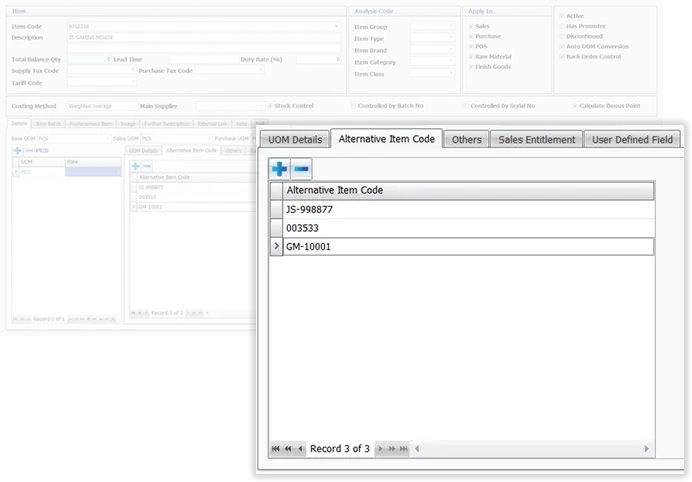
Unlimited Alternative Item Codes
You can now assign unlimited alternative codes to each product item, such as barcodes, supplier-specific codes, or simplified codes. This makes searching for items and entering data more efficient and flexible.
Work Conveniently
Sometimes, small adjustments—whether in habits or tools—can lead to significant improvements. We’ve carefully considered even the smallest details to provide you with a more convenient and efficient working experience.
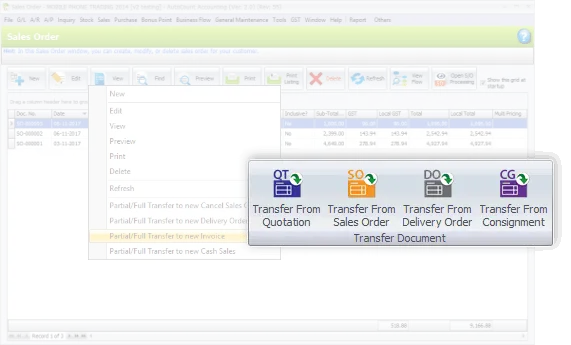
Transfer Documents with Flexibility
When creating a new document via the Transfer method, you can choose to either ‘Transfer To’ a new document from an existing one or ‘Transfer From’ an existing document to a new one. Pick the method that works best for your workflow.
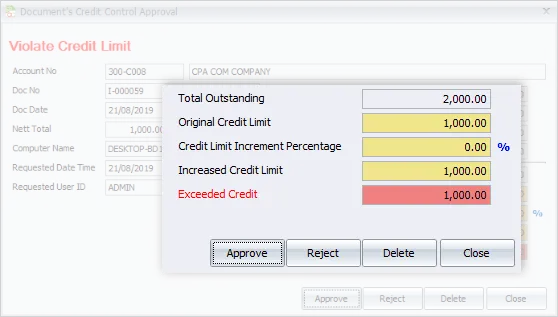
Simplified Credit Control
Any document created that exceeds the credit limit will trigger an immediate prompt for your approval. This quick reminder helps you control credit risks conveniently and efficiently.
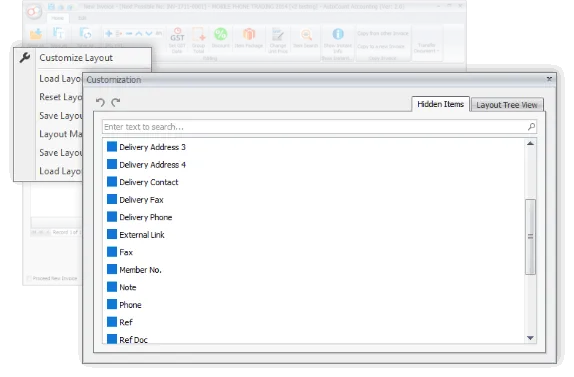
Customize Your Input Layout
This small but valuable customization allows you to add personalized fields when creating transactions related to sales, purchases, or inventory. Input exactly the information you need for your specific business purposes.
Access from Anywhere with Internet Login
Embrace the new normal of working remotely. With Internet Login, you can access your office’s accounting database from home, as long as you have an internet connection, ensuring continuous productivity even when you’re not in the office.
It Flows Better
This version enhances the overall workflow of recording, processing, and tracking transactions. Key improvements include smoother consignment handling, deposit management, purchasing workflows, and clearer document flow visibility.
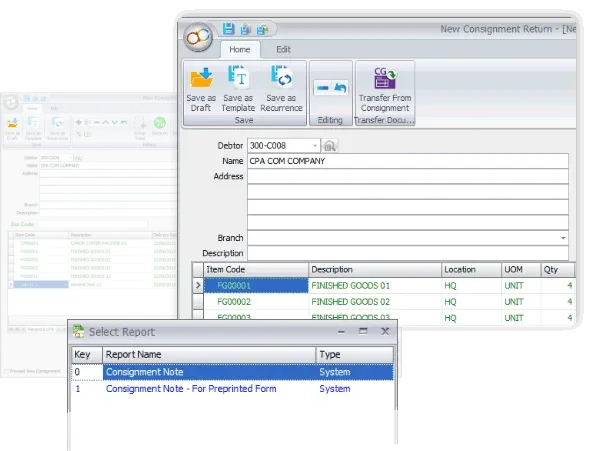
Refined Consignment Module
Whether you’re a consignor or a consignee, the system provides a streamlined and organized consignment process. It supports everything from creating initial consignment notes to managing returns, issuing invoices, and tracking inventory status—ensuring every step is documented and easy to follow.
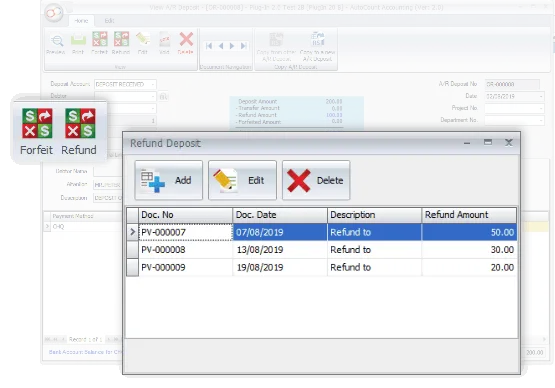
Deposit Management – Apply, Refund & Forfeit
If your business handles customer deposits, you’ll appreciate the improved deposit features. Easily record received deposits, transfer them as payments to offset invoices, and manage multiple transactions for refunds and forfeitures—all in one place.
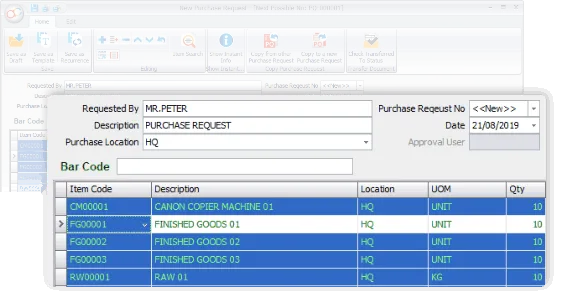
New Document Type: Purchase Request
Purchase Request serves as an internal procurement document, typically created before issuing Request for Quotation (RFQ) or Purchase Orders (PO) to suppliers. It helps standardize and organize the early stage of purchasing workflows.
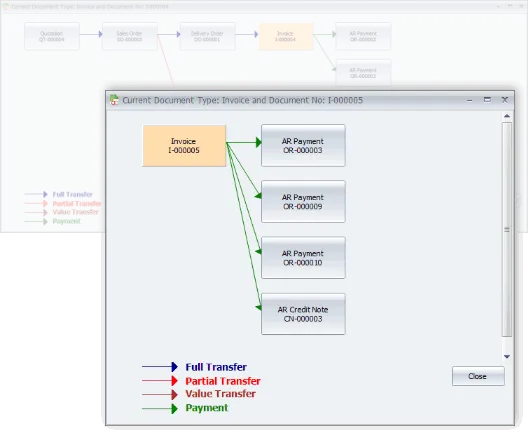
Complete Document Flow Visibility
View the entire lifecycle of related documents on a single screen—from non-accounting documents all the way to finalized billing, payments, or credit notes. You can click on any document to drill down into its details, making tracking and auditing much more efficient.
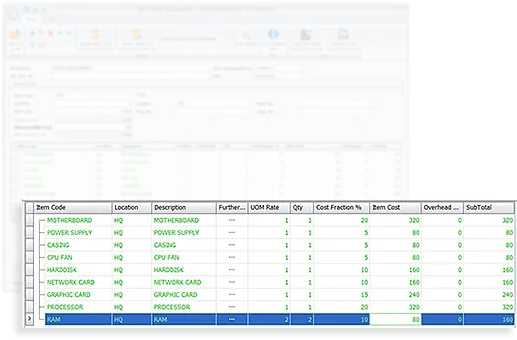
Stock Disassembly
Unlike stock assembly (which builds a product from various components), Stock Disassembly breaks an item down into multiple parts while tracking both costing and quantities. For example: cutting a jumbo paper roll into smaller sizes or breaking down a whole chicken into individual cuts.
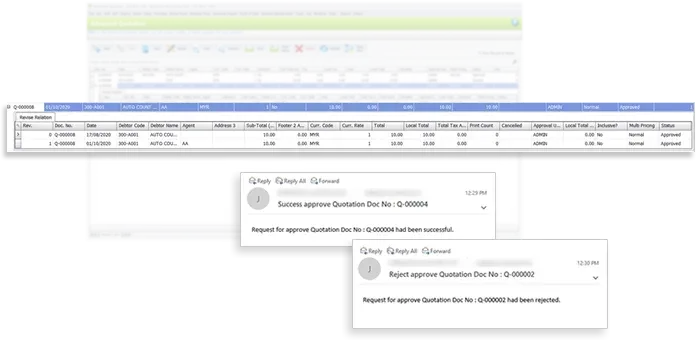
Advanced Quotation Control
Improve internal approval for sales quotations and proposals. Set stricter approval rules, maintain a full history of revised versions, and receive automated email alerts for pending actions, approvals, or rejections—ensuring better oversight before quotations are sent out.
The Power of Flexibility
Whether you’re a casual user or a power user, our system provides greater flexibility with advanced tools such as Enhanced Keyword Search, Detailed Stock Item Inquiry, and a customizable Formula Editor.
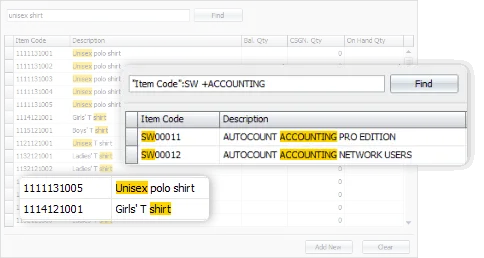
Advanced Keyword Search
The enhanced keyword search displays all records that partially or fully match your search terms. This powerful feature makes locating information significantly faster and more convenient.
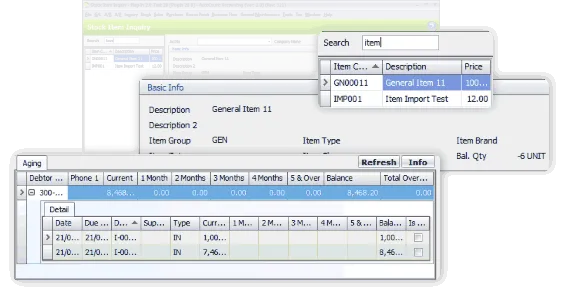
Stock Item Inquiry with Enhanced Details
Users who frequently rely on Stock Item Inquiry will appreciate the improved Version 2.0 layout. The redesigned interface presents more in-depth information about each selected stock item—all on a single screen for better efficiency.
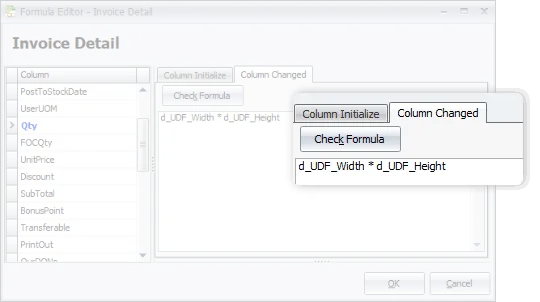
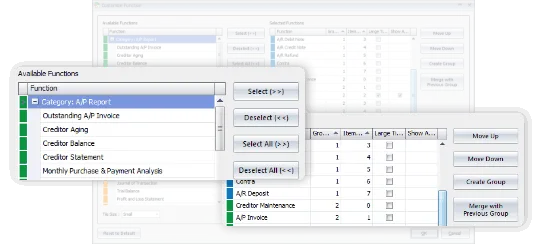
Formula Editor Customization
For advanced users and those with technical expertise, the Formula Editor allows you to customize fields—even within detailed line items—using formulas to achieve your desired output. Ideal for handling complex calculations and specialized scenarios.
Make It Personal
Everyone has their own style and preferences. With personalized settings for colors, shortcuts, and favorite tools, your workspace will always feel familiar and tailored to you every time you log in.
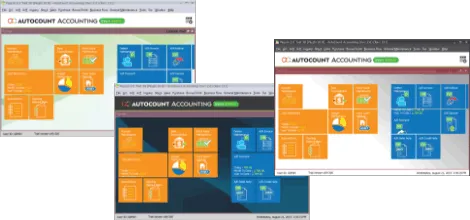
Choose Your Theme Color
Select a theme color that suits your preference for your user login. If it makes your daily work more enjoyable and comfortable—why not personalize it?
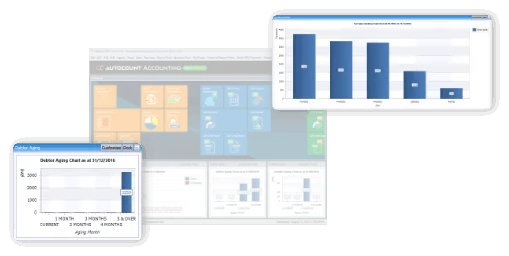
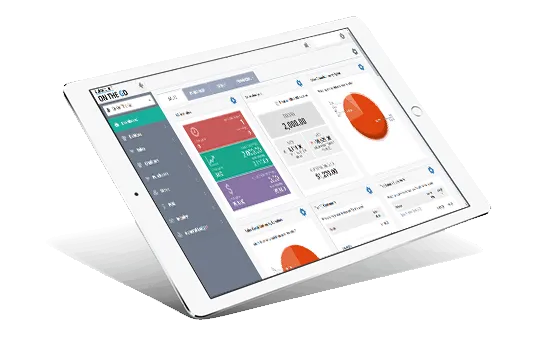
Quick Access Data Charts
Decide which tiles or key functions you want displayed on your main dashboard. Add your frequently used features or favorite tools for faster navigation.
Favorite Tiles on Main Page
For advanced users, you can customize fields within any document— even within detailed sections — by applying formulas to produce the results you want. This is especially helpful when handling complex calculations or specialized workflows.
LHDN e-Invoice Ready
Fully integrated with LHDN MyInvois to streamline e-Invoice generation, submission, and processing while ensuring strict regulatory compliance.
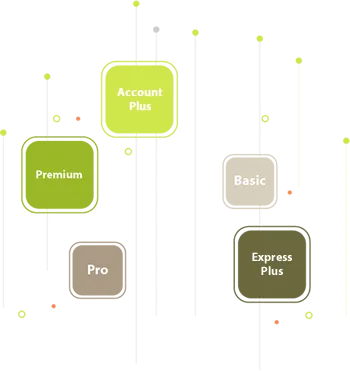
Pick from five tailored editions, each designed to suit different business needs—so you only pay for what you truly require. If a specific module isn’t included in your chosen edition, simply request it as an add-on.
All our setup and user guide videos are broken into easy-to-follow segments, allowing you to learn at your own pace. These tutorials cover everything you need to get started with AutoCount Accounting—quickly and confidently.
Ready to Transform Your Business?
Embrace smart accounting, POS, payroll, and e-Invoicing solutions with Mega Cloud for growth and compliance.
Mega Cloud Software & Tech provides Accounting, POS, Payroll, IT Services, and HRD-claimable training, empowering businesses in Malaysia with smart, compliant, and future-ready digital solutions.
When changes are made to sales or purchase documents—affecting dates, quantities, prices, or locations—the intelligent stock recalculation process starts immediately.
Backdated documents such as Purchase Invoices, Purchase Returns, Sales Invoices, and Credit Notes.
Edit, delete, or cancel documents that were saved earlier, involving changes to date, quantity, price, or location.
Modify older sales/purchase documents.
With this feature, stock costing recalculation is sped up to 99%, as the system only recalculates the modified transactions, eliminating the need for extensive administrative work or constant monitoring.
Timely & Accurate Stock Costing Reports
The Intelligent Costing module ensures you receive real-time, precise stock costing reports and accurate product profit margins, helping you avoid selling at incorrect prices. This feature is ideal for businesses with high transaction volumes, a large range of stock items, or fast-moving retail products.